Assigning who cooks
Updated 2026-09-13
On a planned meal, tap the cook chip ("Assign cook", or the current cook's name) to open "Who's cooking?". Pick a household member, or choose the unassign row to clear it.
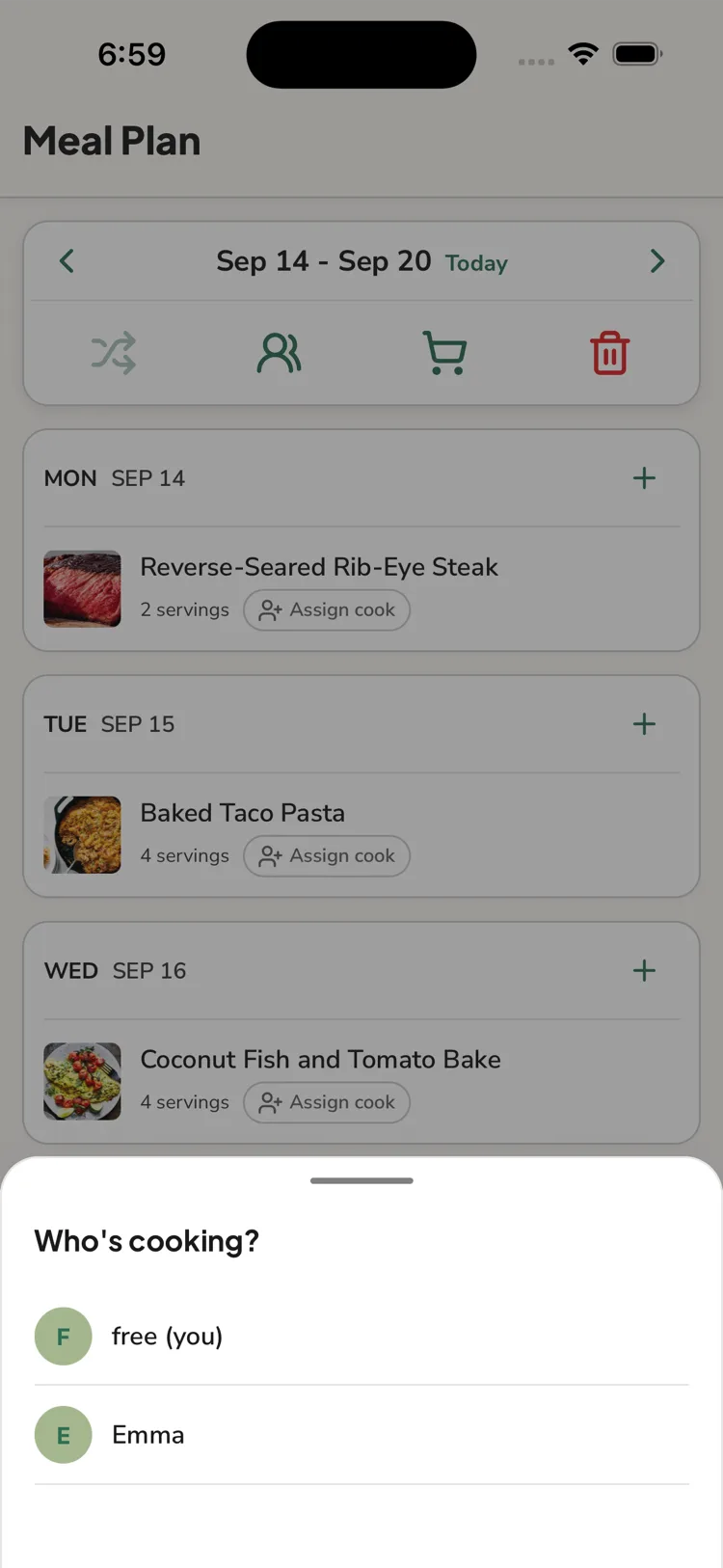
- This only appears in households with more than one member.
- The cook is set per plan group (all days a recipe was added to together).
- You can set it when you plan the meal, or any time after.
What the cook sees
The assigned person gets a notification ("{name} asked you to cook {recipe}") that opens the Meal Plan to that week, and their avatar shows on the meal. See Notifications.
Offline
Assigning a cook needs a connection. Meals you add while offline are saved without a cook — set it once you're back online.
Questions this answers
- How do I set who's cooking a meal?
- What does the person assigned to cook see?
- Why can't I assign a cook offline?
Still need help?
Email us at [email protected] and we'll get back to you.