Notifications
Updated 2026-09-13
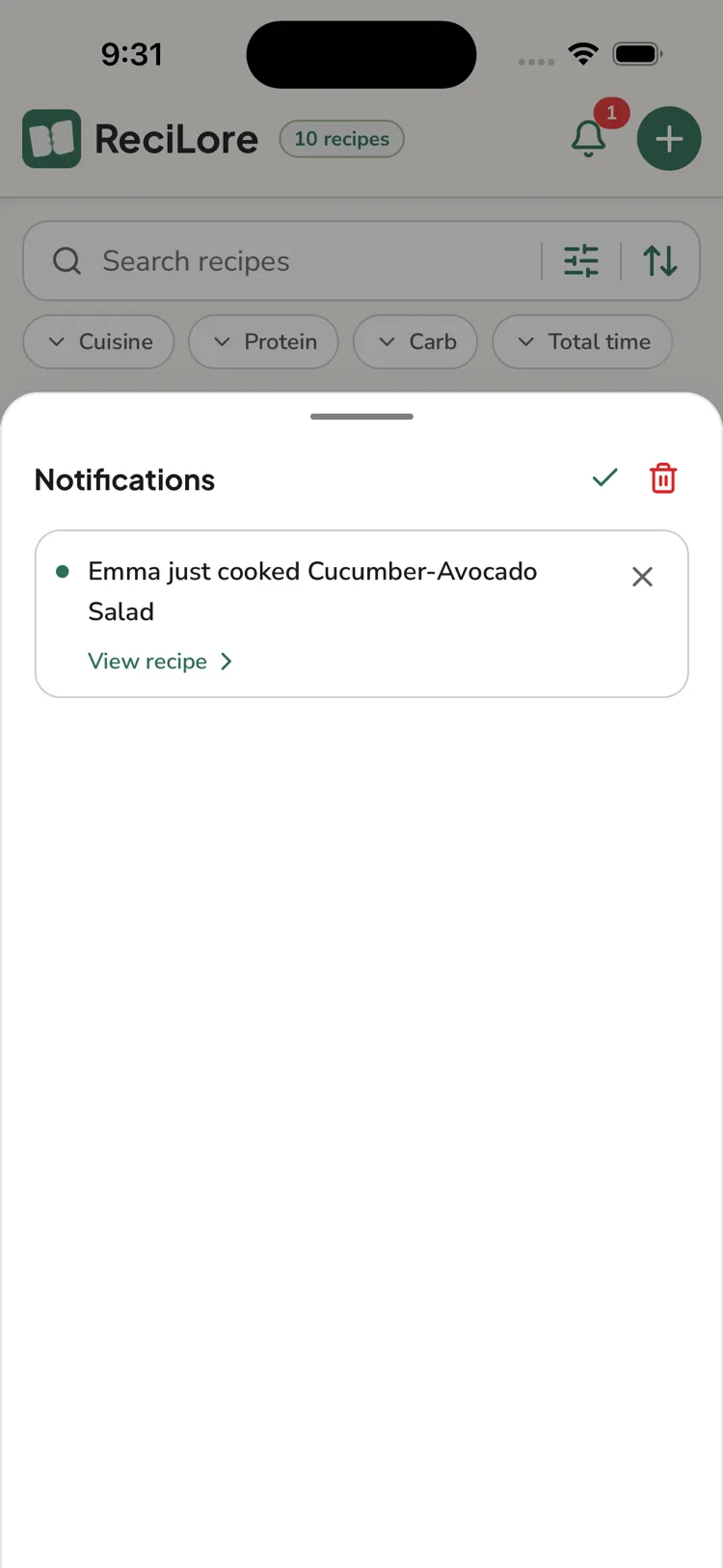
Notifications live on the bell icon on the Recipes tab. Tapping it opens the list.
In-app only
ReciLore does not send push notifications to your lock screen. You see notifications the next time you open the app.
The five kinds
- Someone asked you to cook a planned meal → opens the Meal Plan to that week.
- Someone cooked a recipe → opens that recipe.
- Someone joined your household → opens Household.
- Household ownership changed → opens Household.
- A billing action is needed (after an ownership transfer) → opens Subscription.
Everyday activity (a recipe added, an item checked off) doesn't notify — it just syncs. This only fires in households with more than one member — cooking solo doesn't notify anyone, since there's no one else to tell.
Managing them
Tap a notification to mark it read; tap its × to remove it. In the list header you can Mark all as read and Clear all ("This removes every notification. It can't be undone."). There's no on/off setting — there's nothing to opt out of.
Questions this answers
- Where are my ReciLore notifications?
- Does ReciLore send push notifications?
- What events create a notification?
- How do I clear notifications?
Still need help?
Email us at [email protected] and we'll get back to you.